Angy watches your groups so you don’t have to.
Bookings, appointments and to-dos can become private reminders, so you keep track of what needs to happen next. Tag Angy when you need help drafting a reply in your voice.
- Private reminders, not group noise
- Nothing posted without your approval
- Watching is per group, off by default
Android phone required · a spare WhatsApp number recommended
Unofficial client — a spare number is recommended, never your main line. Why?
Get access to Angy
Angy is in closed beta on Google Play. Request access below. Once your tester access is ready, we’ll contact you with instructions to install the app.
Android phone required. A spare WhatsApp number is recommended — the number you link is the one at risk.
It watches, so you don’t have to keep checking.
Turn it on for a group. Angy reads what is new and pulls out the things you have to do.
An illustration of the shipped flow, not a live screen. Detection is not perfect, and nothing is posted without your approval — except the paid opt-in auto-confirm timer, which is off by default.
Only the groups you turn on
Watching is per group and off by default. Angy reads what is new there and checks anything that looks like a booking, appointment or to-do with the model. Ordinary chat is ignored.
Private reminders
A reminder comes to you, never to the group. It arrives before the commitment is due, and you can change the lead time or turn it off.
Correct it before it matters
Wrong date or wording? Edit the title, the due time or the reminder. If a confirmation was already drafted for it, that draft is withdrawn and re-drafted from your correction.
Confirm in the group — your call
Angy can draft the confirmation for you to approve, and nothing is posted until you approve the exact text. On paid plans an opt-in timer can post it for you; it is off by default.
Private notes, on request
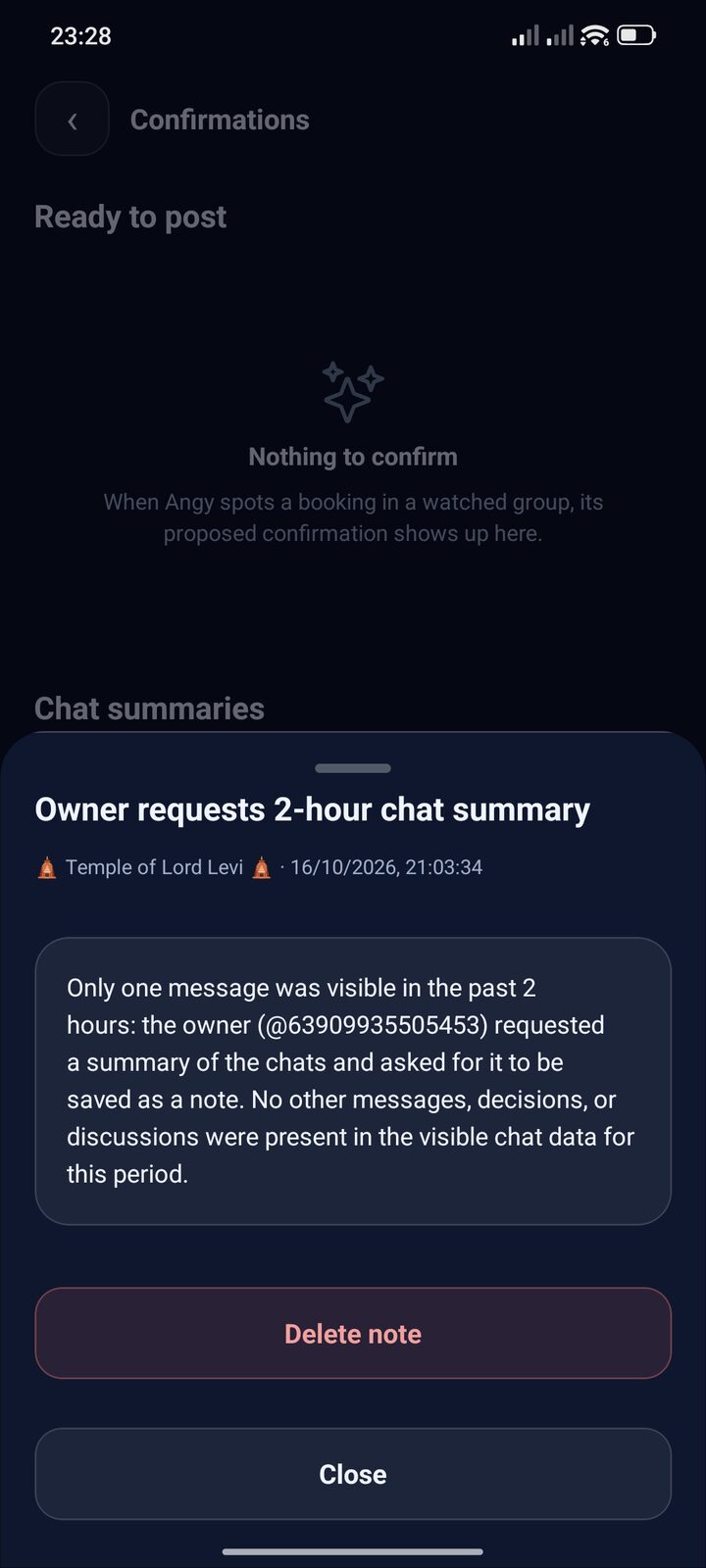
Tag Angy with “take note” and it summarises that stretch of chat into a note that stays with you. A note is never posted to a group.
Detection is not perfect: Angy flags, the model confirms, and you can correct or dismiss anything it gets wrong.
This is the app you install.
Five screens from the closed-beta build — the same app, once your tester access is ready.
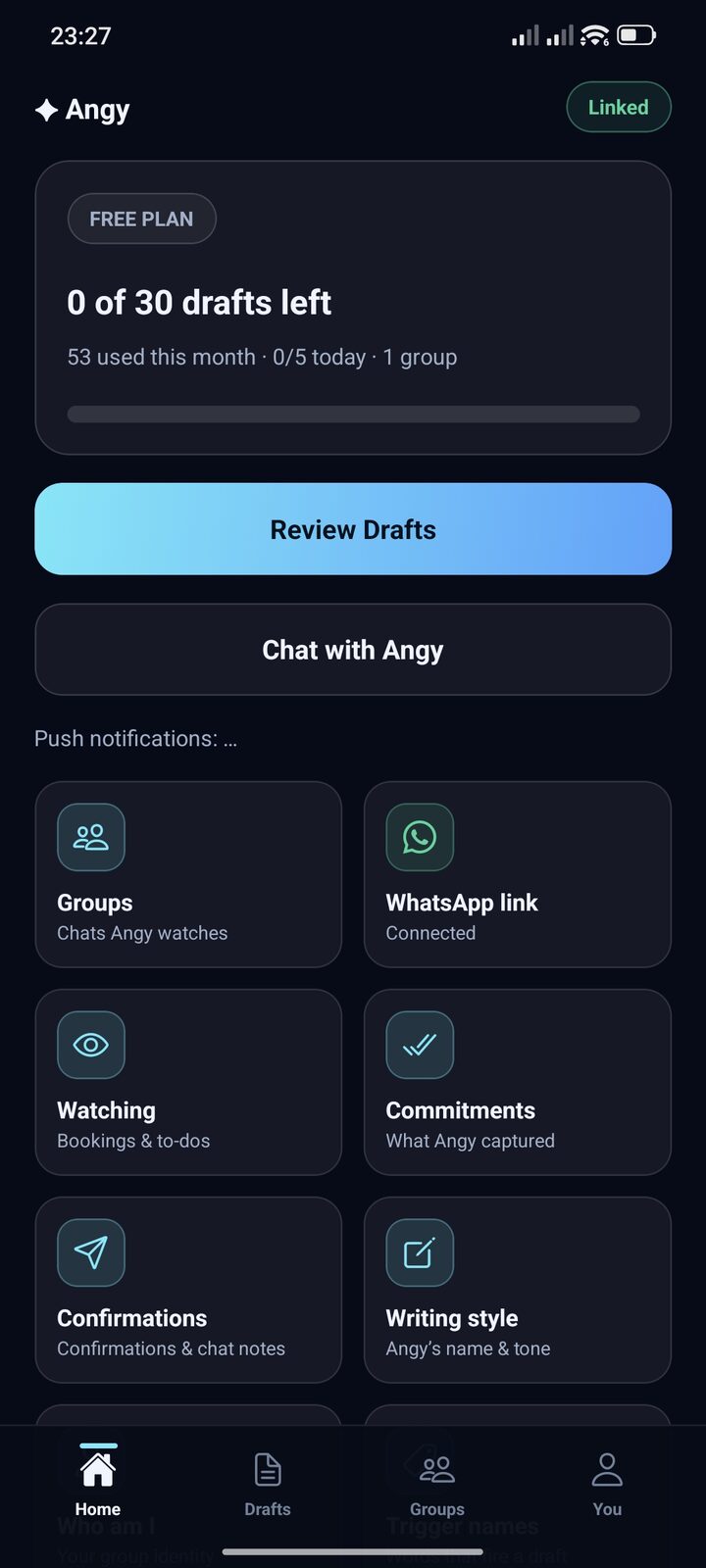
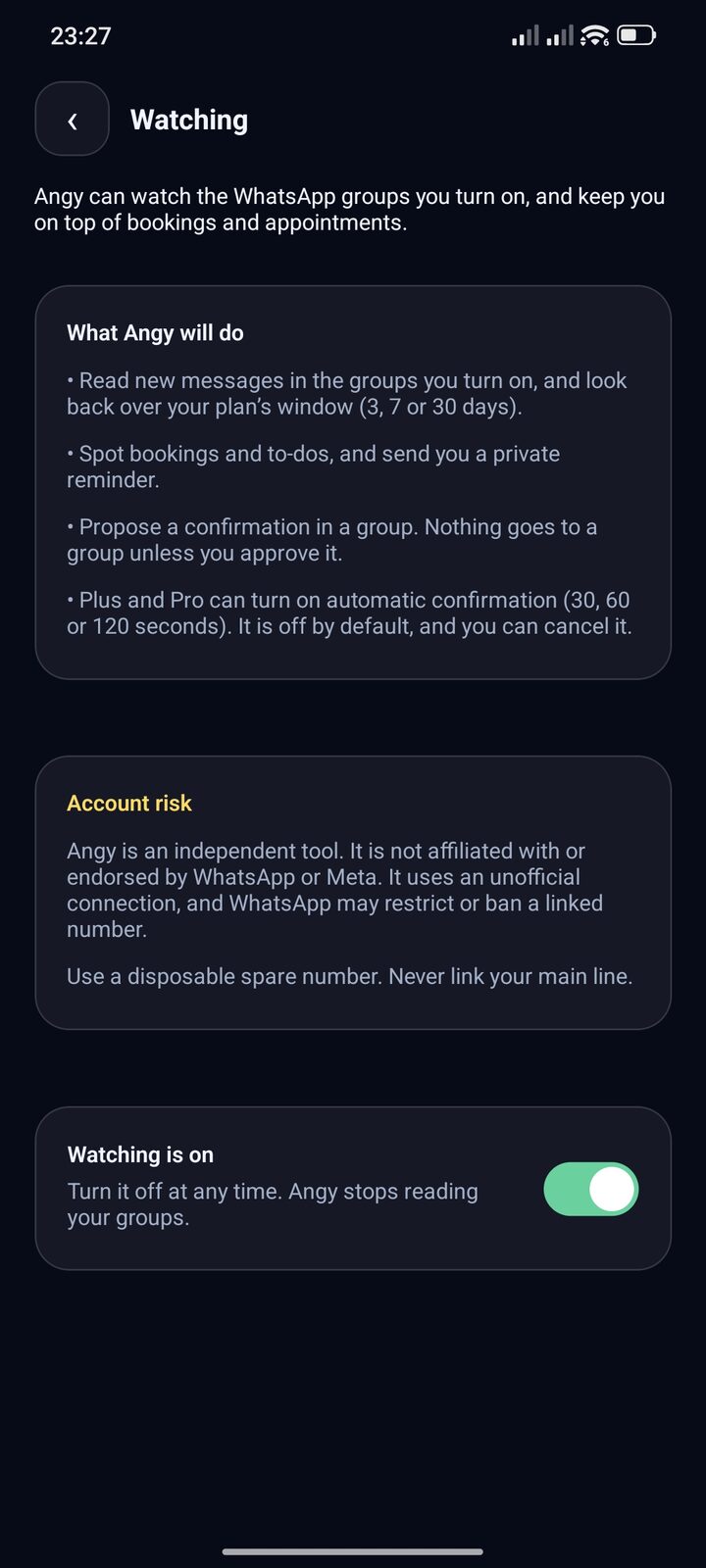
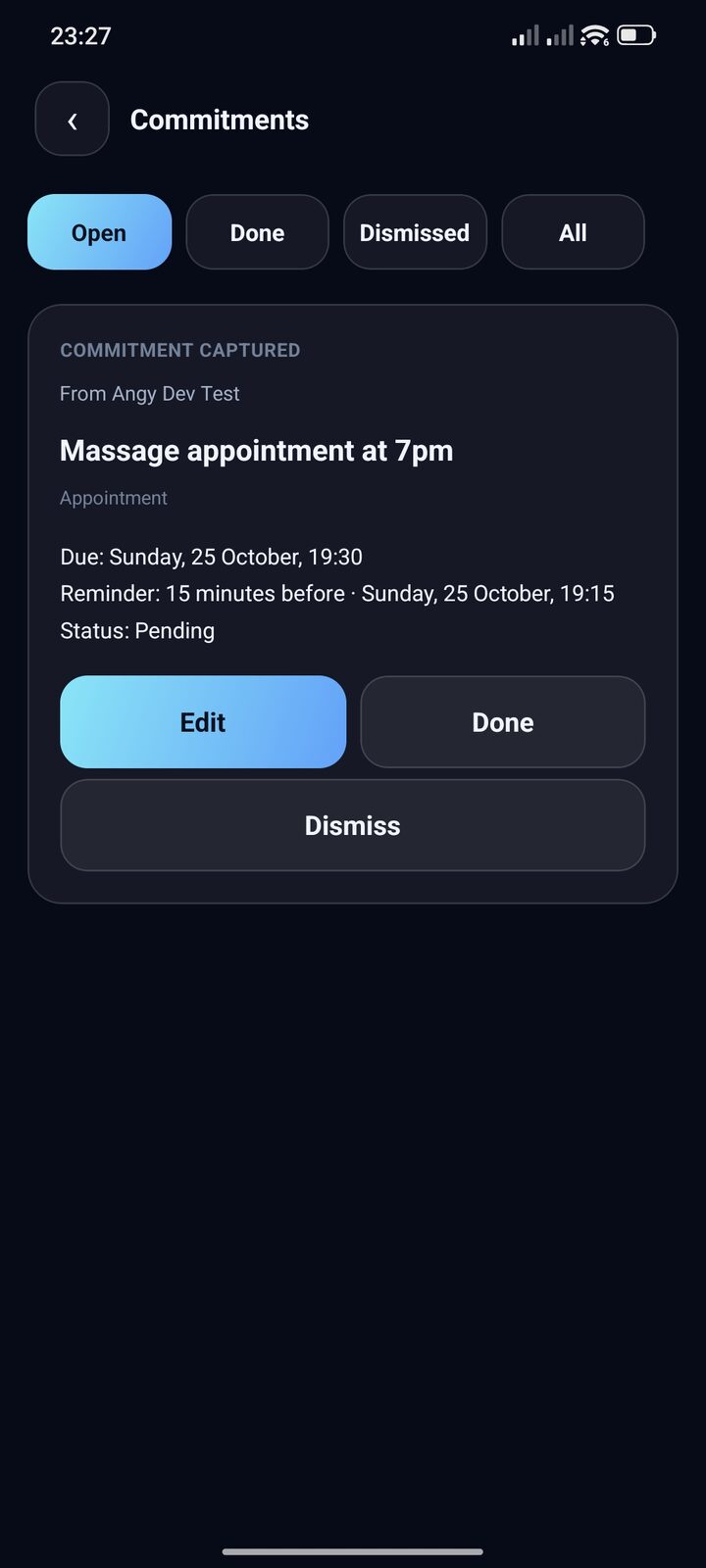
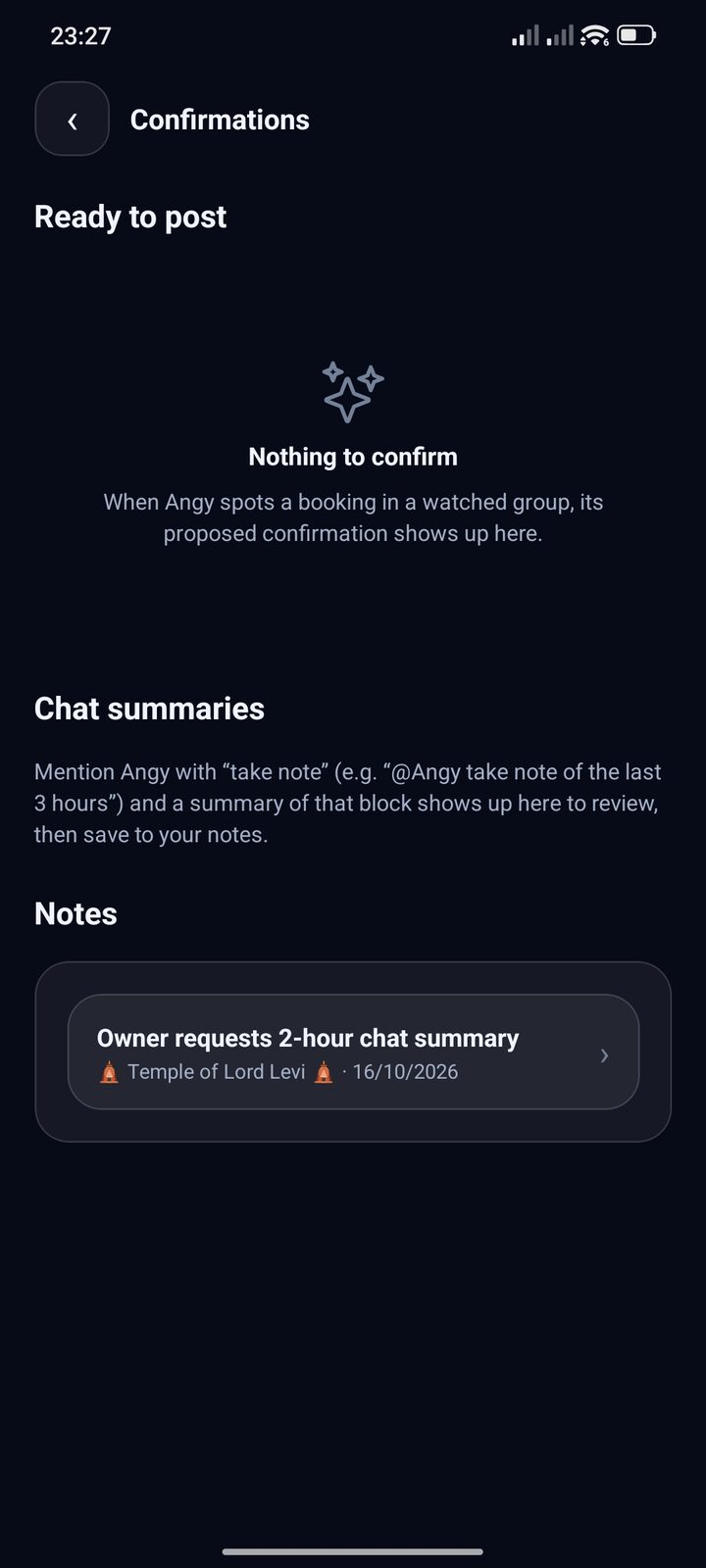
Real screens from the beta build. Detection is not perfect, and nothing is posted to a group without your approval — except the paid opt-in auto-confirm timer, which is off by default.
Ask once. Keep the useful part.
Ask Angy for a summary of the last stretch and save it. The group never sees it.
- Written from the chat you asked about, then kept private
- Saved with a title, group and date — deletable any time
Three layers. One reply that sounds like you.
Three things you control. One reply that fits.
Tap a layer to peel it off — then add it back.
Peel it back to generic AI
Strip layers off for generic AI. Add them back and watch it become yours.
Your persona
Set once in Settings. Every draft sounds like you.
Your group’s context
Per-group notes: who’s who, boundaries, inside jokes — plus recent messages as background.
Your intent for this reply
Private notes for this reply only. They steer the draft, never enter it.
Persona + group + intent → one draft → you approve. No auto-send unless you enable it.
Layers are settings you write, plus recent messages. Angy doesn’t learn relationships on its own.
The approval guarantee
Not AI magic. Angy drafts. You decide.
Manual by default. Paid plans can opt into two timers, both off until you enable them: auto-mode sends a draft you never opened, and auto-confirm posts a confirmation you never opened. Opening either one cancels its timer. No retries; unclear outcomes are flagged, never resent.
How it works
Four steps. Install from Google Play, then link a spare number.
Install
From Google Play.
Sign in
Email and a one-time code.
Link WhatsApp
Your spare number, with a pairing code.
Turn on a group
Tag Angy when you want a draft. Nothing sends until you approve.
Simple plans, same approval rule.
Every plan: TLC Spark drafts, edit everything, approval always required. Prices in RM.
Free — Try Angy
- TLC Spark included
- 30 AI drafts / month · 5/day
- 1 monitored group
- Persona (300 chars)
- 1 short group note (300 chars)
- 3-day message context
- Edit + approve every reply
- Tool calling & Calendar
Plus — Your Personal Angy
- TLC Spark included
- 200 AI drafts / month · 25/day
- 3 monitored groups
- Persona up to 2,000 chars
- Group notes up to 1,500 chars
- 7-day message context
- Private context injection
- Group-specific instructions
- Opt-in Auto-mode · quiet hours
- Private 1-on-1 chat
- Tool calling & Calendar
Pro — Your AI Agent
- TLC Spark included
- 800 AI drafts / month · 100/day
- 10 monitored groups
- Advanced persona (5,000 chars)
- Group notes up to 4,000 chars
- 30-day message context
- Private context injection
- Advanced group instructions
- Opt-in Auto-mode · quiet hours
- Private 1-on-1 chat
- Tool callingcoming soon
- Google Calendarplanned
Paid plans are billed through Google Play, so you can cancel or see your plan in the Play Store at any time.
Regenerating uses one draft; editing is free. Monthly reset, no rollover; a daily cap spreads usage.
Paid extras: auto-mode (opt-in auto-send) and a private 1-on-1 agent chat.
Security notes
Unofficial client — use a secondary number
Real ban risk. The number at risk is the one you link, so use a spare WhatsApp number rather than your main line.
Hosted and account-scoped
Each account has its own database, traffic is over HTTPS, and your WhatsApp session credentials stay on our server — revocable any time by unlinking the device. Keys and message content never appear in logs.